The cheapest 5K monitor for a Mac: a used iMac
The cheapest way to put a 27-inch 5K screen next to your Mac isn't a new monitor. It is a used 5K iMac: they sell for a few hundred dollars, and with one Thunderbolt cable and DisplayBridge, the app I develop, the iMac becomes a full 5K display for your MacBook, Mac mini or Mac Studio.
In short: buy a 27-inch 5K iMac from 2017. It costs about $280 used on eBay, sometimes under $200 locally, and with DisplayBridge and a cable the whole setup comes to about $320, roughly 40 percent less than the cheapest new 5K monitor I could find.
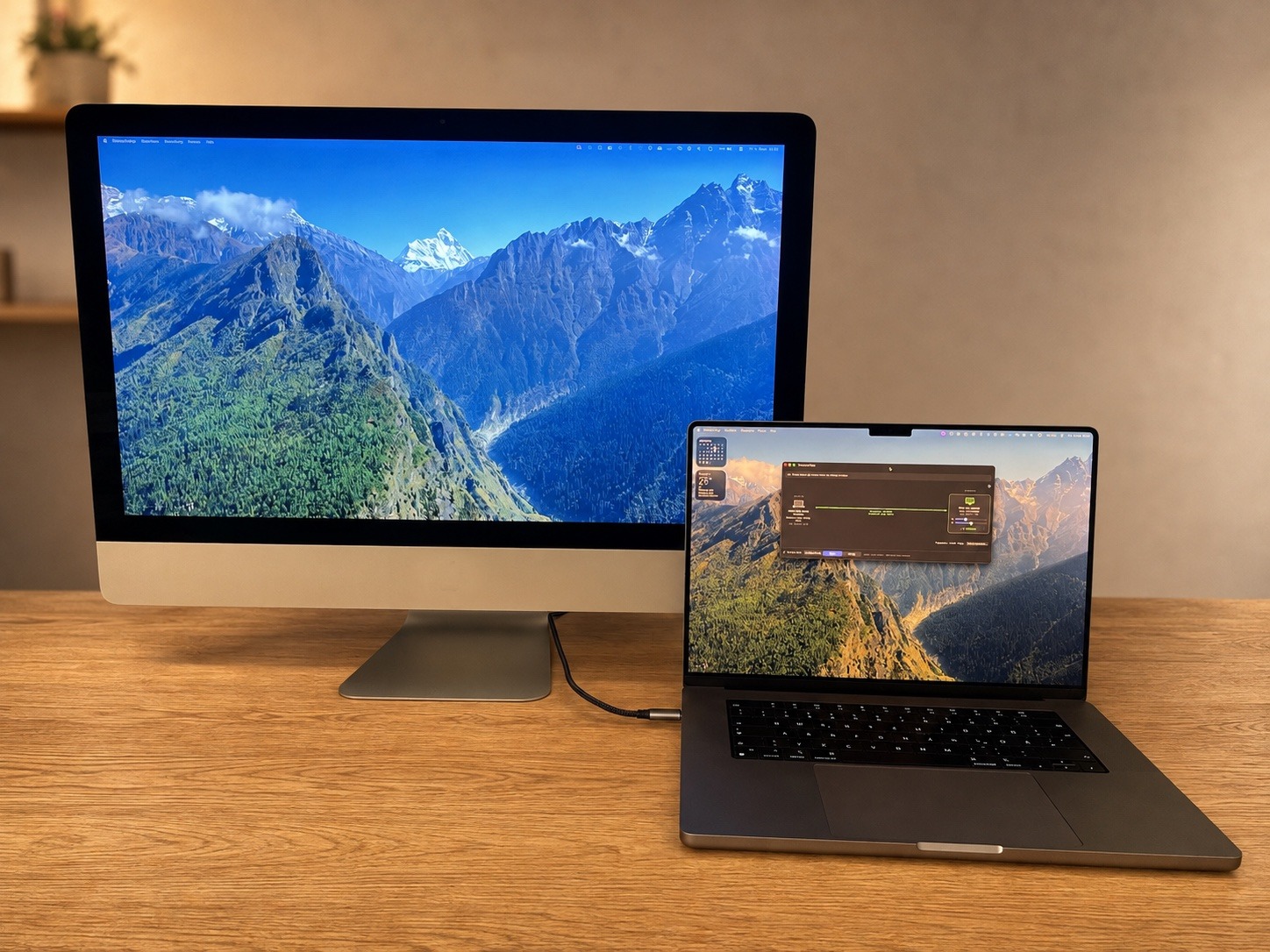
Used 5K iMacs compared
Every 27-inch iMac since late 2014 has a 5K screen with 5120 × 2880 pixels. They differ in price, and in whether DisplayBridge can use them as a display:
| iMac | Used price (eBay US) | Works with DisplayBridge | Good to know |
|---|---|---|---|
| 27-inch 5K, Late 2014 | Median $190 (half between $175 and $240) | Coming soon | Thunderbolt 2; a conversion kit works today |
| 27-inch 5K, 2015 | Median $167 (half between $145 and $199) | Coming soon | Thunderbolt 2; the model best known for pink screen edges |
| 27-inch 5K, 2017 — my recommendation | Median $280 (half between $220 and $350) | Yes, tested | Cheapest model that works; even the base model is fast enough |
| 27-inch 5K, 2019 | Median $499 (half between $325 and $650) | Should work, not tested yet | Can also receive AirPlay |
| 27-inch 5K, 2020 | Median $699 (half between $490 and $875) | Yes, tested | Best equipped; worth keeping as a Mac |
| iMac Pro | Median $699 (half between $600 and $700) | Yes, tested | Space gray, four Thunderbolt 3 ports, strong speakers |
Prices: eBay US sold listings, condition "Used", July to October 2026 (iMac Pro: April to September, because it sells less often), without listings for parts, damaged or locked units, and without sellers with no positive feedback. Checked on 11 October 2026.
Compared with a new 5K monitor
New 5K monitors have become cheaper, but even the cheapest one I could find costs well over $500. A used 2017 iMac with DisplayBridge costs about $320 in total: about $280 for the iMac, $29 for the license and about $10 for a Thunderbolt cable.
| 27-inch 5K display | Price |
|---|---|
| Used iMac 2017 + DisplayBridge + cable | About $320 (about $240 with a local deal under $200) |
| KTC H27P3, the cheapest new 5K monitor I found | About $510 to $535 on sale |
| ASUS ProArt PA27JCV | About $700 to $800 |
| LG UltraFine 5K | From about $820 on sale |
| Apple Studio Display (2026) | $1,599 list price |
New monitor prices: retailer listings and deal reports, checked on 11 October 2026. They change often, so check the current price before comparing.
On top of the price, you get a 5K screen in an aluminium housing that still looks good on a desk, with speakers that can play your Mac's sound through DisplayBridge.
Why I recommend the 2017 model
- It is the cheapest 5K iMac that works. It is the first one with Thunderbolt 3, and its last macOS, Ventura, is exactly what DisplayBridge needs. The 2014 and 2015 models are even cheaper, but DisplayBridge doesn't support them yet.
- The base model is enough. Mine is the smallest configuration, with a 3.4 GHz Core i5, 8 GB of RAM and a Fusion Drive, and DisplayBridge runs smoothly on it. As a display, the iMac only shows the picture; the work happens on your other Mac.
- The screen is of the same class as the newer models. 5120 × 2880 pixels, 500 nits, wide color. The 2019 costs almost twice as much and the 2020 about two and a half times as much.
- Local deals are even cheaper. On marketplaces such as Facebook Marketplace you can sometimes find one for under $200. I bought mine used for less than 200 Swiss francs.
Before you pay, check the Thunderbolt ports, the screen edges for a pinkish tint, the Apple Account and Find My, and company management. My iMac 2017 page has the full checklist.
What else you need
- A Mac with Thunderbolt 3 or 4 on macOS 13 Ventura or later, for example any MacBook with Apple silicon, a Mac mini or a Mac Studio.
- A Thunderbolt cable or a 40 Gbit/s USB-C cable (USB4), from about $10. A normal USB-C charging cable won't work.
- DisplayBridge: a free 7-day trial, then $29 once for the Mac you work on. The iMac never needs a license.
The step-by-step guide shows the whole setup with screenshots; it takes about five minutes.
The trade-offs
A used iMac isn't a monitor in every way. It only works as a display for a Mac, not for a Windows PC or a game console; for those, a conversion kit is the option. It has to be switched on and logged in to work as a display, and as a whole computer it uses more power and takes up more room than a slim monitor. If none of that bothers you, no new 5K monitor comes close to its price.
Questions about this
What is the cheapest way to get a 5K monitor for a Mac?
A used 27-inch 5K iMac from 2017 used with DisplayBridge. Working units sold on eBay in the US for a median of about 280 dollars in the summer and autumn of 2026, sometimes for under 200 dollars on local marketplaces. With the 29-dollar license and a cable, the setup costs about 320 dollars, while the cheapest new 5K monitor I found costs over 500 dollars.
Is a used iMac a good alternative to the Apple Studio Display?
For a Mac user on a budget, yes. The 27-inch 5K iMac has a 5K panel of a similar class, at 5120 × 2880 pixels and 500 nits, and with DisplayBridge it runs at the full resolution and 60 Hz. It costs a fraction of the Studio Display's 1,599 dollars. The trade-offs: it only works with a Mac, it has to be switched on and logged in, and it takes up more room on the desk.
Which used iMac should I buy to use as a monitor?
A 27-inch 5K iMac from 2017. It is the cheapest model that works with DisplayBridge, even the base configuration is fast enough, and it has a display of the same class as the 2019 and 2020 models, which cost about twice and two and a half times as much. Avoid the 2014 and 2015 models for now: they are cheaper still, but DisplayBridge doesn't support them yet.
What does a used iMac 5K monitor setup cost in total?
About 320 dollars with a 2017 iMac at the eBay median of 280 dollars, the DisplayBridge license at 29 dollars, and a Thunderbolt cable at about 10 dollars. With a local deal under 200 dollars, it comes to about 240 dollars.